 Saleva
Guide 3 of 6 · Shop owner
Customers, udhaar khata and getting paid
Recording credit as a sale, setting a limit per customer, and sending a polite reminder without an argument.

Most small shops give credit, and most lose money on it not because customers refuse to pay but because nobody wrote it down properly. Saleva treats credit as an ordinary sale that happens to be unpaid, which is what makes the total visible.
Adding a customer
Open Customers and tap +. A name is enough; a phone number is what makes reminders possible later.
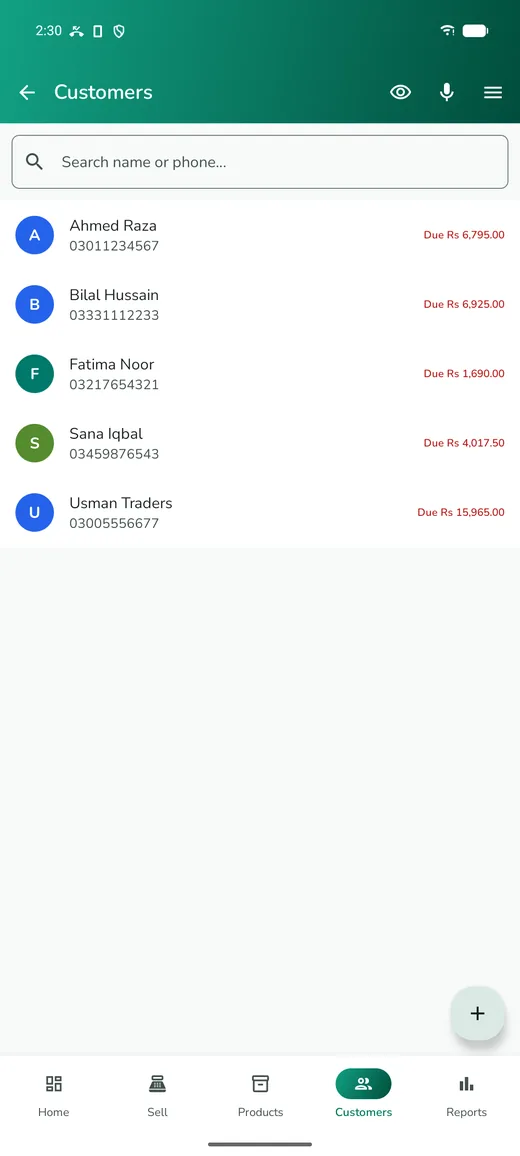
Two fields are worth setting for anyone you will give credit to:
- Credit limit — the most you are willing to have outstanding with this person at one time. The app warns you at checkout when a sale would take them past it. The warning is for you; what you do about it is your call.
- Credit days — how long a bill may stay unpaid before it counts as late. Two weeks is a common starting point.
Set both low for someone new and raise them as they prove reliable. There is nothing rude about a limit; every business has them.
Selling on credit
Ring the sale up exactly as you would for cash. At checkout, pick the customer, then enter what they actually paid — nothing, or a part payment. The rest becomes their balance.
Three things happen because you did it this way rather than writing on a pad:
- the stock comes off correctly, because goods did leave the shop
- the amount is a shared fact the customer watched you enter
- the total of all credit becomes visible, and it is almost always larger than shopkeepers expect
The udhaar screen
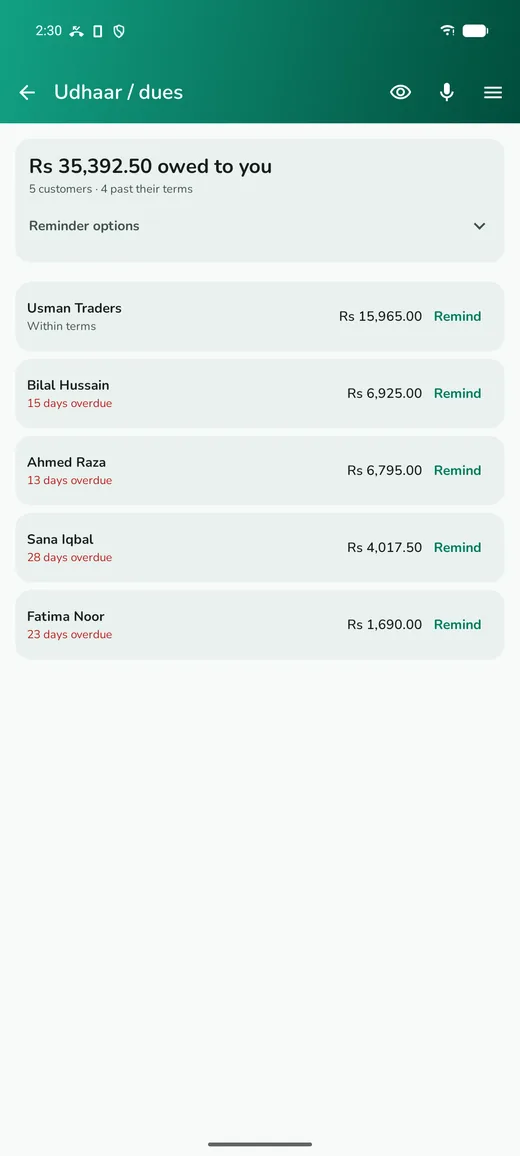
Open Udhaar / dues from the side menu. It shows the total owed to you, how many customers it is spread across, and how many are past their terms, with the oldest debts first.
Each customer has a Remind button. It opens WhatsApp with a short, polite message already written, naming your shop and the amount, ready for you to send. If WhatsApp is not installed it falls back to SMS.
Two habits make this work without damaging relationships:
- Pick one day a week and go through everyone who is late. When reminders are routine, nobody who gets one feels singled out.
- Record the payment the moment it arrives, even a part payment. Most complaints about shop credit trace back to a payment the shop forgot to log.
The switch at the top asks the app to remind you once a week, so the round actually happens.
Letting the assistant word it
If you find the standard reminder too blunt or too soft, the sparkle button lets the assistant write one in your own tone, keeping the customer's name and the amount as placeholders. You edit it before it is used, and then every reminder uses your wording. That costs one credit, like any assistant request.
Receiving payment
Open the customer and record what they paid. Payments come off the oldest bill first, which is what you want: it keeps the ageing honest and stops a customer's balance looking better than it is.
The customer's page shows what they bought, what they paid and what is left, which is a far easier conversation than a single disputed number.
Loyalty points
If you switch on loyalty in Settings, customers collect points on their purchases and you decide what a point is worth. Points show on the customer's page, and if they use your online shop page they can see their own points there too. It is optional and off by default.
Questions
Does the amount owed grow while it stays unpaid?
No. Saleva does not add interest or a late charge to an outstanding balance, and there is no setting that would. The figure you see is what was sold minus what was paid. A credit limit set beforehand and a weekly reminder round collect far more than a penalty added afterwards.
A customer says they already paid. What do I do?
Open their page and show them the list of sales and payments with dates. This is exactly why each credit sale is recorded as a sale rather than a running total.
Can my staff see who owes money?
Only if you allow it. Staff permissions are per person, and many owners let staff sell on credit to approved customers without showing them the full ledger or the reports.
What happens when a customer reaches their limit?
The app warns you at checkout. It does not block the sale, because sometimes you will decide to go ahead anyway; it makes sure you are deciding rather than discovering it later.
Get Saleva
Free on Android. Selling, stock, customers and reports all work with no internet at all.