 Saleva
Guide 6 of 6 · Shop owner
Your online shop page, customer orders and ad credits
Publishing a catalogue customers can browse, taking orders that arrive at your counter, and how credits and ads pay for the online parts.
Everything in the earlier guides works with no internet. This one is about the optional half: a page customers can open, orders that arrive at your till, and the credits that pay for it.
Publishing your page
Open Settings → Online shop and switch on the product page. Saleva gives you a link of the form smartpos.space/s/YOURCODE. Share it on WhatsApp, print it on receipts, or show it as a QR code.
What customers see is only what you publish: your shop name, your phone number if you added one, and your product names, categories and selling prices. Cost prices, profit, stock levels, customers, staff and your records are never shown. Switch the page off and the link stops working immediately.
You can add a cover photo and a logo from the same screen, and a photo per product. A page with pictures gets used; a page of names alone usually does not.
Orders arriving at your counter
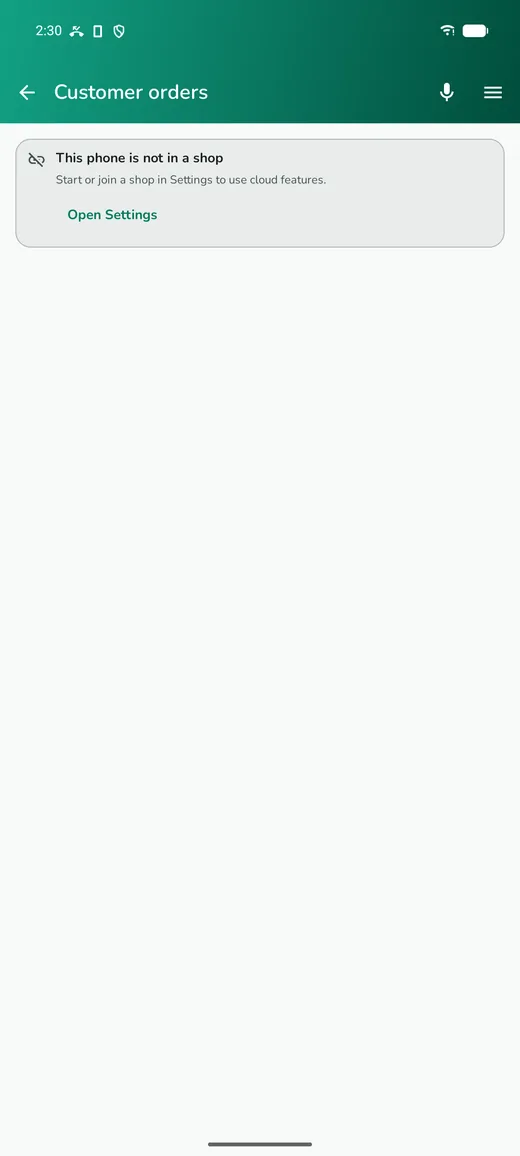
A customer browsing your page taps Order in app, which opens Saleva on their phone and sends the order to you. Orders land in Customer orders, not in a separate inbox somewhere.
The flow is deliberately owner-first:
- The order arrives as new. You see it, with the items and the total.
- You accept it, and for a delivery you assign a rider.
- The rider sees only that run and moves it picked, on the way, delivered.
- The customer follows the same progress on their phone.
A rider can never see the order inbox or accept work themselves. That is enforced on the server, not just hidden in the app.
Customers can cancel while an order is still new, and rate the shop once it is done. Ratings and complaints arrive in Reviews & feedback, where you can reply.
Credits and ads
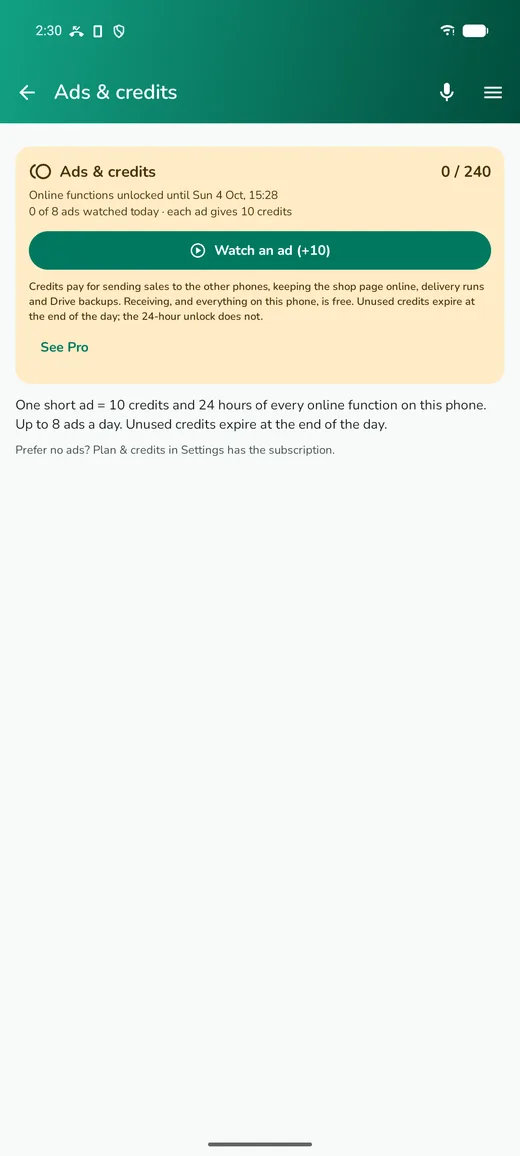
The online half runs on credits.
- One short rewarded ad gives 10 credits and unlocks every online function on that phone for 24 hours.
- You can watch up to 8 ads a day.
- Unused credits expire at the end of the day. The 24-hour unlock you earned does not; it runs its course.
What things cost:
| Action | Cost |
|---|---|
| A sync round, or a Wi-Fi sync | 1 credit |
| A day of your online shop page | 1 credit |
| Google Drive backup or restore | 5 credits |
| One assistant message | 1 credit |
| Downloading the shop's data to another phone | free |
The Ads & credits screen shows your balance, how long you are unlocked for, how many ads you have watched today, and the button to watch another. It is in the side menu, and staff have it on their own phones too, because each phone earns its own credits.
If you would rather not see ads at all, Settings → Plan & credits has a subscription that removes them and switches the paid features on without credits. A shop on the subscription also has no advertising on its public page.
If your credits run out
Nothing is deleted and selling never stops. Your page goes quiet and syncing pauses until you top up. The home screen shows a card telling you what is waiting, and if the page has been down for a while the app tells you the exact date its online data would be removed.
One thing worth knowing: if an online shop lapses for seven days, its online data (the published catalogue, offers and public page) is removed and can only be restored from your Google Drive backup. Your phone's own records are untouched. Keep the backup switched on.
Unlocking a Pro feature for a day
Features like the forecast, quotations, repairs, the business card and the assistant are Pro. Besides the subscription, each can be unlocked for the rest of the day with credits — the price is shown on the feature's own card, and the unlock ends at midnight. A premium colour theme bought this way returns to the default when it lapses.
Questions
Do I have to watch ads to use Saleva?
No. Selling, stock, customers, dues, expenses, the everyday reports and printing are free and work offline for ever. Ads only buy the online extras, and a day of an advanced Pro tool such as deeper analytics or recipes.
Why does my staff member's phone ask for credits separately?
Because each phone earns and spends its own. It also means a staff phone's ad unlocks Pro features on that phone for the day.
Can customers pay through the page?
No. The page shows products and takes the order; payment happens with you, however you normally take it. There is no payment gateway in Saleva.
Will my shop page appear on Google?
No. Shop pages are deliberately kept out of search results. They are for the customers you send the link to, not for the open web.
What happens to my page if I stop paying?
It pauses, and after seven days its published catalogue is removed. Turn it back on with credits or a subscription and you can publish again from the app.
Get Saleva
Free on Android. Selling, stock, customers and reports all work with no internet at all.