 Saleva
Everything Saleva does
Saleva is a free Android app for running a small shop: a point of sale, stock, udhaar khata, reports and staff, and now your shop on WhatsApp, with chats, voice notes and calls. Selling works offline. Here is every feature, in one place.
- Selling at the counter
- Product photos in one tap
- Business snapshot
- A cash drawer that adds up
- Invoice designs
- Supplier bills
- Your shop on WhatsApp
- Chats, voice notes and calls
- Udhaar and customer khata
- Stock and inventory
- Reports and money
- Staff and more than one phone
- Online shop and delivery
- Services: find or offer work nearby
- Made for your kind of shop
- A friendly Home
- Learn Saleva
- Invite shops, get Pro free
- In your language
- Your data, on your phone
Selling at the counter
A till that works on any Android phone, with or without internet.
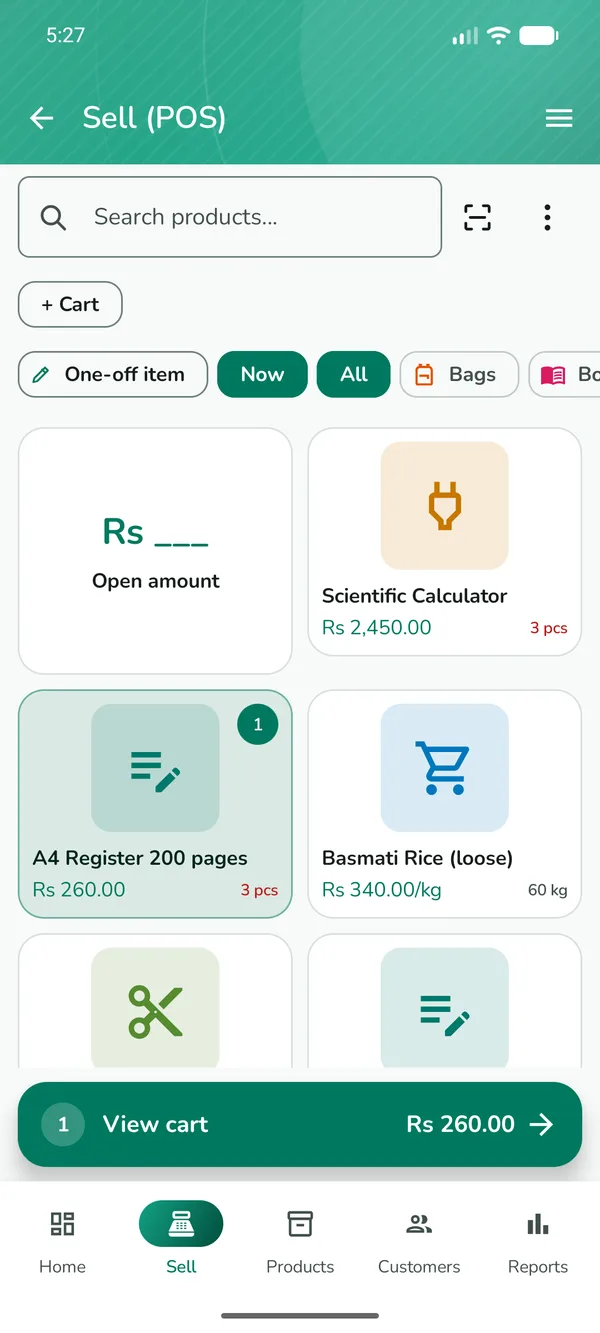
- Ring up a sale in a few taps: tap products or scan barcodes with the phone's camera
- Cash, card, mobile wallet or udhaar (customer credit), and part payments with the rest on the customer's account
- One-off items for things that are not in your product list
- Hold a sale, keep several carts open at once, and edit or return a sale later
- Wholesale prices, bulk discounts, tax and per-product discounts
- Receipts on WhatsApp, as a PDF, or printed on a 58 mm or 80 mm Bluetooth thermal printer, in Urdu too
- Receipts can print in a different language from the app
- A cash drawer with opening cash, shifts and a daily closing count
- One Quick add button and a cart switcher on the Sell screen, and a reminder on Home when a sale is left unfinished
- Draw shortcuts: hold two fingers and draw a letter to jump, such as S for a new sale
- With a keyboard attached, shortcut keys (F2, F6 and others) are shown next to the buttons
Product photos in one tapNEW
Your products look like the real thing, without taking a single photo.
- Type a product name and Saleva suggests up to three photos other shops already use; the size you typed, such as 1.5 L, comes first
- Tap the right pack to use it, or See more to search further
- Scan a barcode and the product's photo is added for you, with Undo
- Find photos for older products that have none, from the Products screen
- Photos show the whole pack, never cut off
- A photo picked from the shared library is stored once and costs nothing when your shop goes online
Business snapshotNEW
Every figure for a day, week, month or year on one page.
- Sales after returns, gross profit, other income, expenses and net profit
- Buying and what you owe suppliers, and what customers owe you
- Balance summary: cash box and money accounts
- A detailed monthly or yearly PDF report to share or print
A cash drawer that adds upNEW
Expected cash that matches what is really in the drawer.
- Open the drawer with a counted float, and see expected cash at any moment
- Cash sales, cash udhaar payments, cash in and cash out are counted automatically
- Supplier payments and cash bills come out of the drawer by themselves, counted once
- Card, bank and wallet payments never touch the drawer
- Each phone counts its own drawer, and a closed shift stays as it was closed
- Shift handover with a closing count and the difference
Invoice designs
Bills that look like your shop, ready to share or print.
- Six ready invoice templates: Classic, Bold band, Minimal, Receipt roll, Urdu and Elegant
- Choose the accent colour, font and page size: A4, A5, Letter, or an 80 mm or 58 mm roll
- See a live preview, and show or hide parts of the bill
- Save any bill as a PDF or a picture, share it or keep it on the phone
- Find it in Settings, Receipts, Invoice design
Supplier bills
Know what you owe each supplier, and pay it bill by bill.
- The red Owed card on Purchases shows what you owe suppliers in total
- Pay a bill, edit a bill and add notes to it
- A payment on a supplier's account clears their oldest bills first
Your shop on WhatsApp
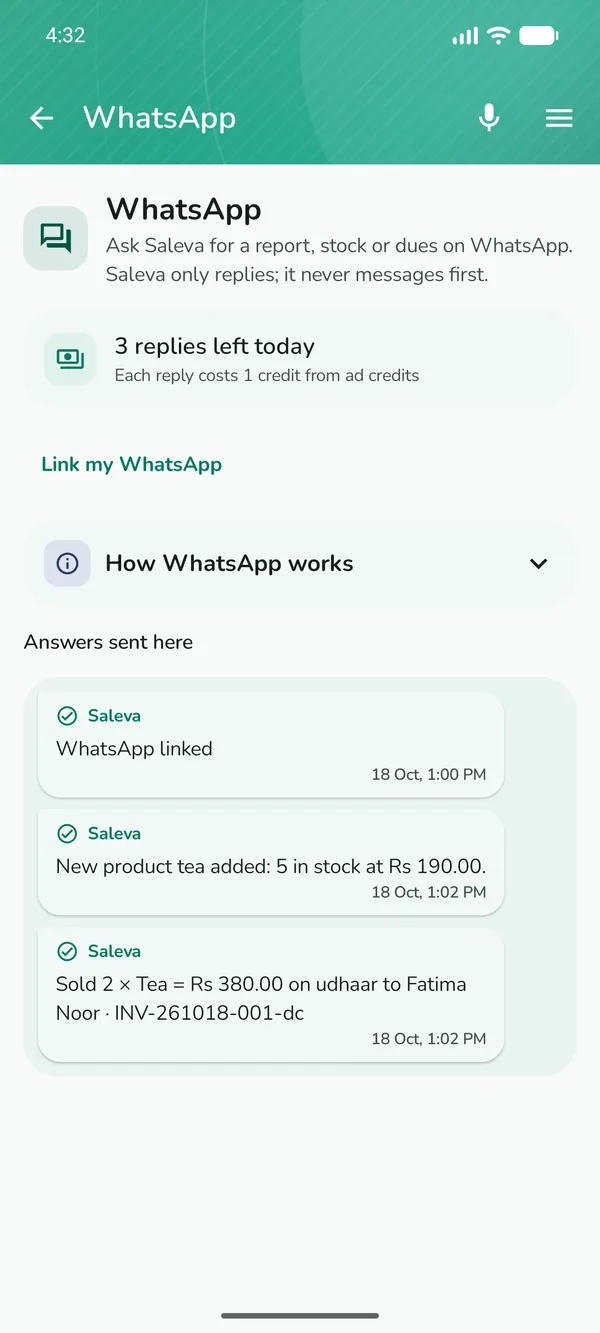
Link your WhatsApp number to your shop and talk to Saleva like a person. Saleva only replies; it never messages first.
- Ask for today's report, this week's sales, stock of an item, what is running low, profit, or who owes you
- Record work by message: "sold 2 sugar to Ali udhaar", "add sugar 10 kg rs 120", "paid Ali 500", "expense bijli 2000", "bought 10 sugar rs 150 from Karim", "count sugar 40"
- Several things in one message get one combined reply
- Type in English, Roman Urdu or Urdu, or send a voice message
- Every job is confirmed by a notification in the Saleva app, and "undo" reverses the last one
- Replies use ad credits or Pro; a number links to one shop, or up to three with Pro
Chats, voice notes and calls
Talk to customers, staff and riders inside Saleva, without sharing phone numbers.
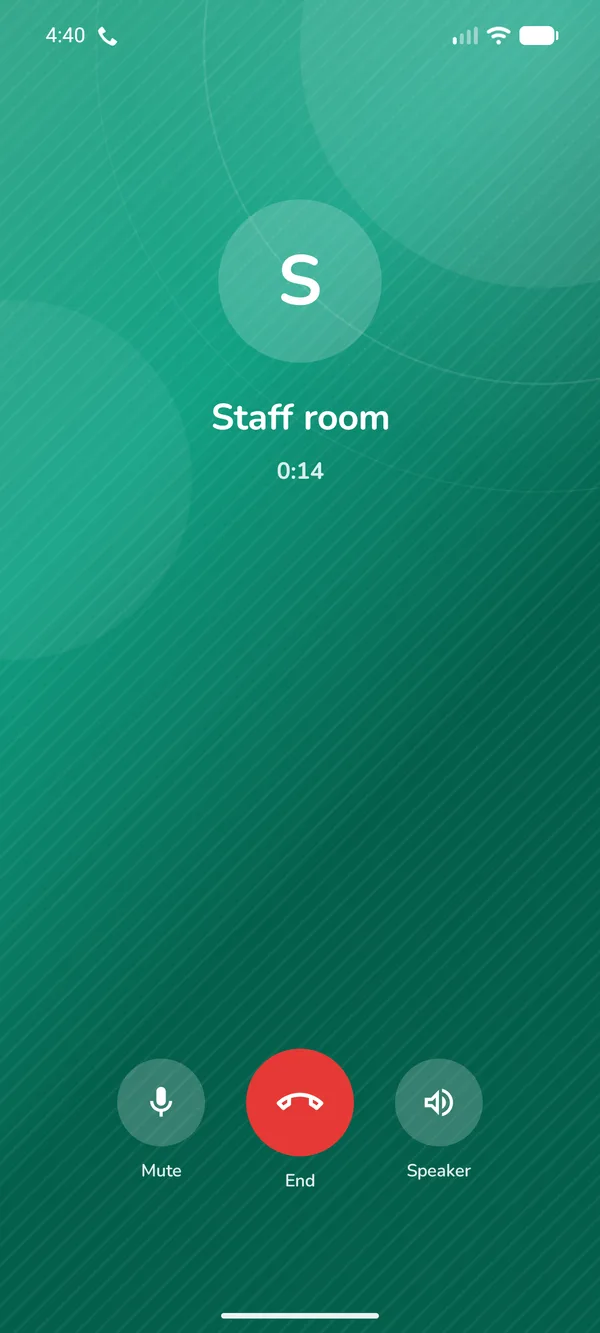
- Chat with customers who order from your shop page, and with your staff in a shared staff room
- Voice notes of up to two minutes in every chat, including chats with your riders and Saleva support
- Voice calls from any chat: call a customer, your rider or your staff with no phone number needed
- Incoming calls ring like a phone call; missed calls are notified and show in the chat
- Every call leaves a line in the chat with its length
Udhaar and customer khata
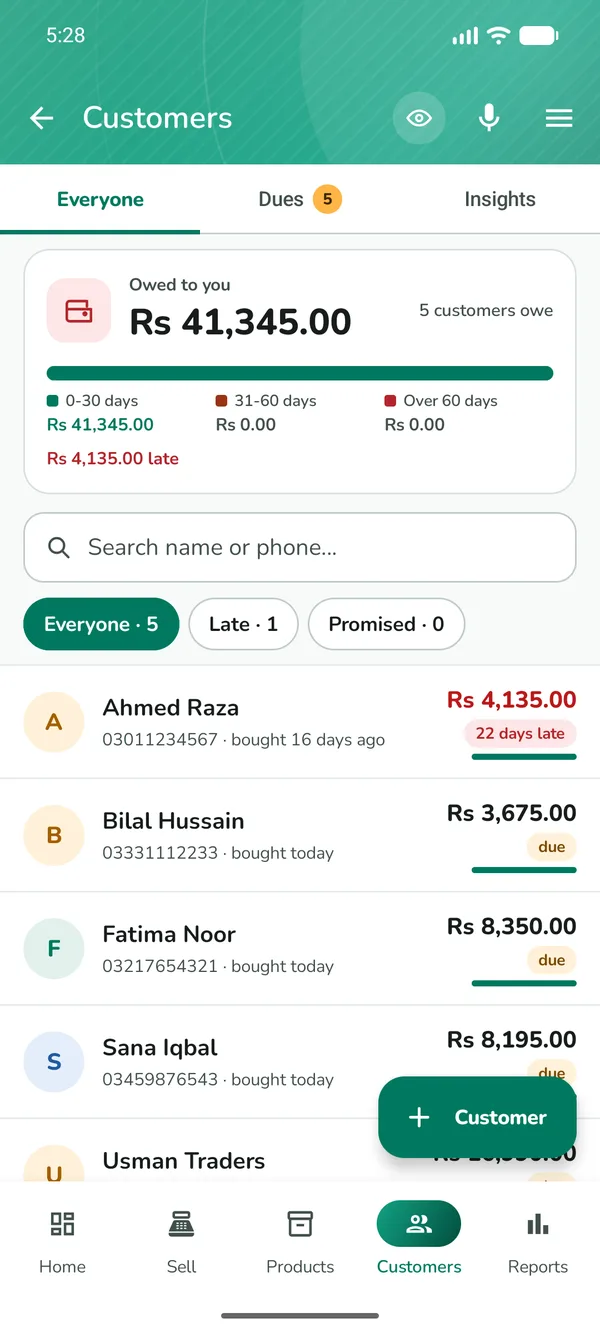
Know exactly who owes you, how much and since when.
- Every customer's balance, with the oldest bills settled first when they pay
- Debts by age (0 to 30, 31 to 60, over 60 days), credit limits and payment terms
- Promises to pay, and a Collect today list
- Polite reminders on WhatsApp in one tap, and a private link where a customer can see their own account
- Bring an old paper khata in by photographing the register page; it reads names and amounts written in English letters and numbers, so names written in Urdu are typed in on the review screen
- Suppliers' accounts too: what you owe and to whom
Stock and inventory
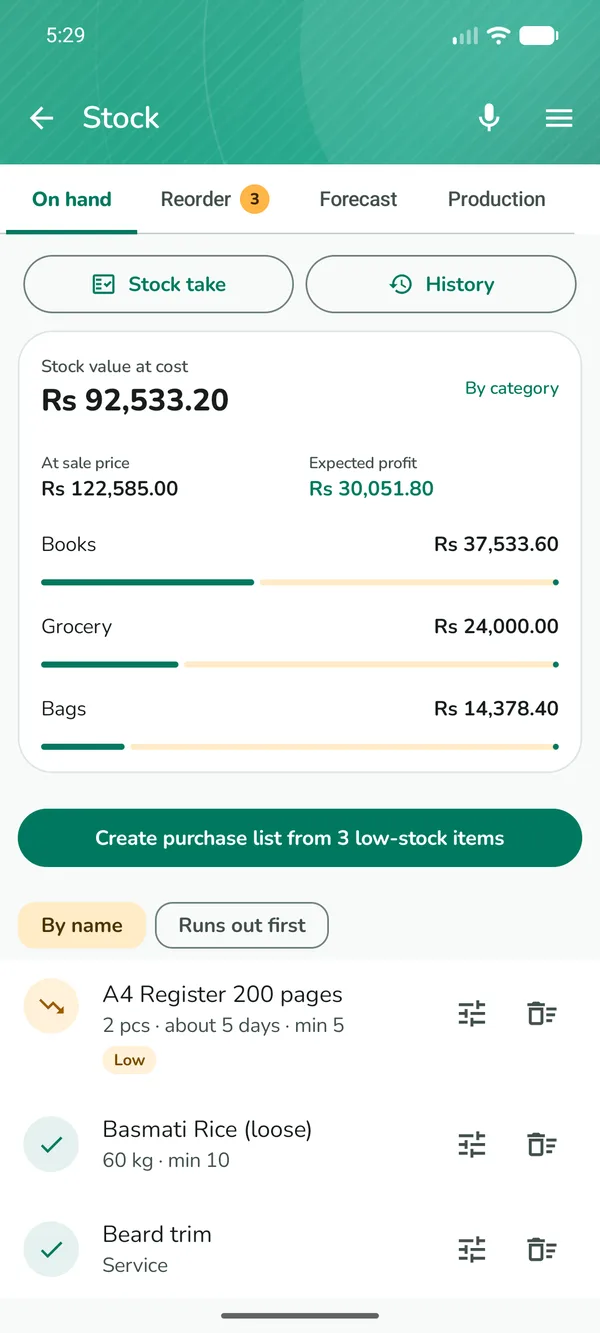
Stock that stays right, and tells you what it is worth.
- Stock goes down with every sale and up with every purchase
- What your stock is worth at cost and at sale price, the profit in it, by category
- How many days each product will last at the rate it sells, and low-stock alerts
- A reorder list that becomes a purchase order to send your supplier on WhatsApp
- Stock count: scan or type what is on the shelf, see every difference, and the date each product was last counted
- Batches and expiry dates (several batches of one product need Pro), write-offs for damage and loss, and transfers between branches
- Recipes and production for bakeries and restaurants (setting up a recipe needs Pro)
- Photo to product: photograph a product or price tag to fill the form; barcode labels and shelf labels as PDF
- Import and export products as a spreadsheet (CSV)
- Fill a product from a photo of its pack: name, size, price and barcode
- Duplicate a product to add a similar one in seconds
Reports and money
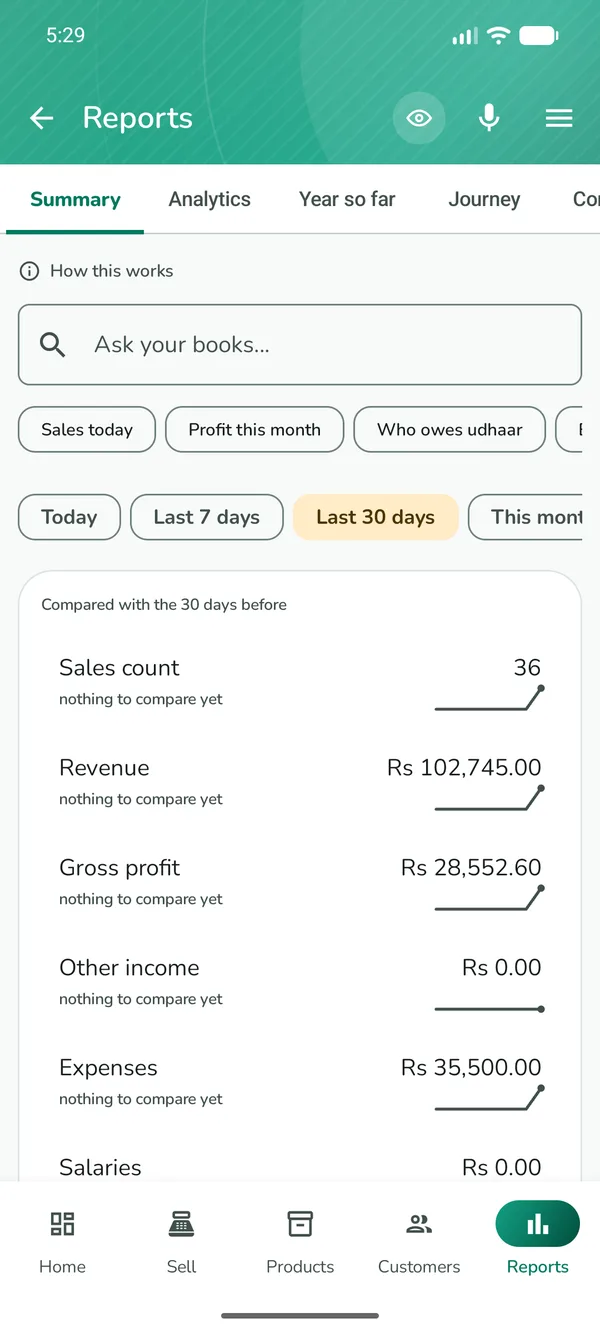
Plain numbers you can read at a glance.
- Today's sales, profit and cash on the home screen, with a chart of sales hour by hour against a usual day
- Real profit after expenses, salaries and stock losses
- Daily closing report, sales by staff, slow movers and profit per product
- Compare with the last period, and share a picture card of your day
- Expenses and budgets
- Deeper analytics (charts, profit map and stock insights) and forecasting come with Pro, or for a day with credits from a short ad
- Ask your books in plain words: "sales this month", "who owes udhaar"
Staff and more than one phone
Run the counter, the store room and deliveries from different phones.
- Add a cashier's or manager's phone: sales and stock stay in step automatically
- Staff join with your shop code and you approve them; every phone keeps selling offline and catches up when it reconnects
- Sales and cash are tracked per person, and each phone can see only what its role allows
- Roles and permissions: owner, manager, cashier and rider, each seeing only what is theirs
- A screen a role may not open says so, instead of disappearing
- Riders get their delivery runs, with the customer's address in maps and a call button
- A cashier's phone joins the shop by scanning a QR code
- Staff phones sync on the shop's credits, paid by the owner; the owner's Pro covers sync for every staff phone
- If a staff phone's sales have not reached the owner yet, Home says why and what to do
Online shop and delivery
A shop page your customers can order from, with nothing for them to install.
- A shareable shop page with your products, prices and offers
- Customers order from the page; orders arrive at your till
- Home delivery with live rider tracking
- Customer reviews, promotions and a digital business card
- List yourself as an electrician, plumber, driver, tutor or labourer in Services, or find one near you
Services: find or offer work nearby
A directory of local workers inside Saleva, for shopkeepers and anyone else.
- Find an electrician, plumber, carpenter, painter, mason, mechanic, driver, cab, delivery, tailor, cleaner, cook, tutor, beautician, technician or labourer
- Search by trade, city or area, or turn on Near me to see the closest first
- Call or WhatsApp the person straight from their listing
- Offer your own work: list up to 5 services with a title, what you do, your area and phone number
- Your exact address and location are never shown, only your area and city
- Pause, extend or delete a listing any time; publishing uses online credits like other online features
Made for your kind of shop
Switch on a shop type and only its tools appear.
- General store, grocery (kiryana), pharmacy, mobile shop, clothing, salon, clinic, restaurant, bakery and wholesale
- Quotations, service and repair jobs, appointments and bookings, advance orders
- A kitchen screen for restaurants, sizes and colours for clothing, serial numbers and warranty for electronics
A friendly HomeNEW
Home shows your day at a glance, and keeps you company at the counter.
- Bagsy's shop garden grows with your good days, and friendly visitors drop by on quiet screens
- Calm sounds: soft natural birdsong while you work, with a timer
- Home's look changes every day; swipe the top card for another
- Market news: short bulletins on prices, petrol, gold, the dollar and tax, only when there is something new, and easy to turn off
- The true sync status under your shop name; tap it to see what to do and what sync is for
- A side menu with search and your credits in one place
- A home-screen widget with today's sales and a small shop scene: a napping cat on quiet days, customers as the day gets busy, lamps after sunset
- Festival decorations for Ramadan, Eid and Independence Day, set to Auto, On or Off
- The garden, the visitors and the news can each be switched off in Settings
Learn Saleva
Help is inside the app, in your language.
- Learn Saleva: short guides and videos for every part of the app
- A Getting started checklist and a short welcome tour on the first day
- Scan my shop: photograph your shop card to fill in your shop's details
- No ads during the guides and the welcome tour
Invite shops, get Pro free
Tell other shopkeepers about Saleva, and get Saleva Pro as a gift.
- Share your invite link or code from the side menu (Invite shops), on WhatsApp or anywhere else
- When 3 new shops start using Saleva, you get 15 days of Pro; at 6 shops, 30 days in total
- A shop counts when it is a new shop on another phone, has finished setup with at least 1 product, and has made sales on 2 different days within 14 days of joining
- Your own shop and your own phones do not count, and each phone counts once
- Gifts add up, up to 6 months a year. The gift is Pro inside Saleva: it is not cash and does not change any Google Play subscription
- The new shop types your code at setup, or it is filled in for them when they install from your link
In your language
Every screen in five languages, including right-to-left layouts.
- English, Urdu, Hindi, Arabic and Indonesian
- Voice commands: say "add product" or open a screen by speaking
- Bagsy, the friendly helper on the home screen, with app tips and your shop's numbers
Your data, on your phone
Selling, stock and khata work fully offline, with no account.
- Your shop's records are uploaded only if you switch on sync, backup or an online feature
- The app does send Google crash reports, usage statistics and, in the free version, ad requests; these never contain your products, sales or customers
- Back up to a file or Google Drive and restore any time
- Protect the app with a PIN or your phone's screen lock
- Delete your shop's online data yourself, from the app
What it costs
Saleva is free with ads. Everything a shop needs to sell, keep stock and khata and see its everyday reports is free and works offline. Online features (WhatsApp answers, calls, sync, the shop page and delivery) run on credits you earn by watching a short ad when you choose to, or come with Saleva Pro, an optional monthly or yearly subscription through Google Play that also removes ads.
A few advanced tools need Pro, or a day's unlock with credits from a short ad: deeper analytics and insights, forecasting, the AI assistant, image tools, recipes, several batches of one product, restaurant extras, customer-specific prices, staff shifts and commission, weekly automatic reminders, supplier ledger reports and premium themes.
Saleva is a record-keeping tool. It does not offer loans, credit or interest of any kind.
Questions
Is Saleva free?
Yes. Saleva is free with ads, and selling, stock, khata and the everyday reports are free and work offline. Online features such as WhatsApp answers, calls, sync and the shop page run on credits earned by watching a short ad, or are included with Saleva Pro, an optional monthly or yearly subscription through Google Play that also removes ads. A few advanced tools need Pro; see the next answer.
What needs Saleva Pro?
Deeper analytics and insights, forecasting, the AI assistant, image tools, recipes, several batches of one product, restaurant extras, customer-specific prices, staff shifts and commission, weekly automatic reminders, supplier ledger reports and premium themes. Each of these can also be switched on for a day with credits from a short ad. Selling, stock, udhaar khata, payments, the daily reports and backups never need Pro.
Does Saleva work without internet?
Yes. Selling, stock, customers, expenses and reports all work with no connection. Sync, the online shop, WhatsApp and calls need internet and catch up when you reconnect.
Can I use Saleva from WhatsApp?
Yes. Link your WhatsApp number in the app (menu, WhatsApp), then ask for reports, stock or dues, or record sales, stock, payments and expenses by text or voice message. Each job is confirmed in the Saleva app.
Can I call my customers and riders from Saleva?
Yes. Every chat has a call button. Calls go over the internet inside Saleva, so nobody's phone number is shared.
Which phones does Saleva run on?
Android phones and tablets running Android 7.0 or newer. It is installed from Google Play.
Which languages does Saleva support?
English, Urdu, Hindi, Arabic and Indonesian, with right-to-left layouts for Urdu and Arabic.
How do I get Saleva Pro free?
Invite other shops. Open the side menu, tap Invite shops and share your link. When 3 new shops start using Saleva you get 15 days of Pro, and at 6 shops 30 days in total. The gift is Pro inside Saleva, not cash.
Does Saleva offer loans or credit?
No. Saleva records the udhaar a shop gives its customers. It does not lend money and has no interest, financing or buy-now-pay-later features.