 Saleva
Guide 4 of 6 · Shop owner
Sales history, expenses and reading your reports
Finding any past bill, recording what the shop spends, and understanding the difference between takings and profit.

Takings are not profit. A shop can have a busy month and end it poorer, and the only way to know is to record what went out as carefully as what came in. This guide covers the three screens that answer "where did the money go".
Sales history
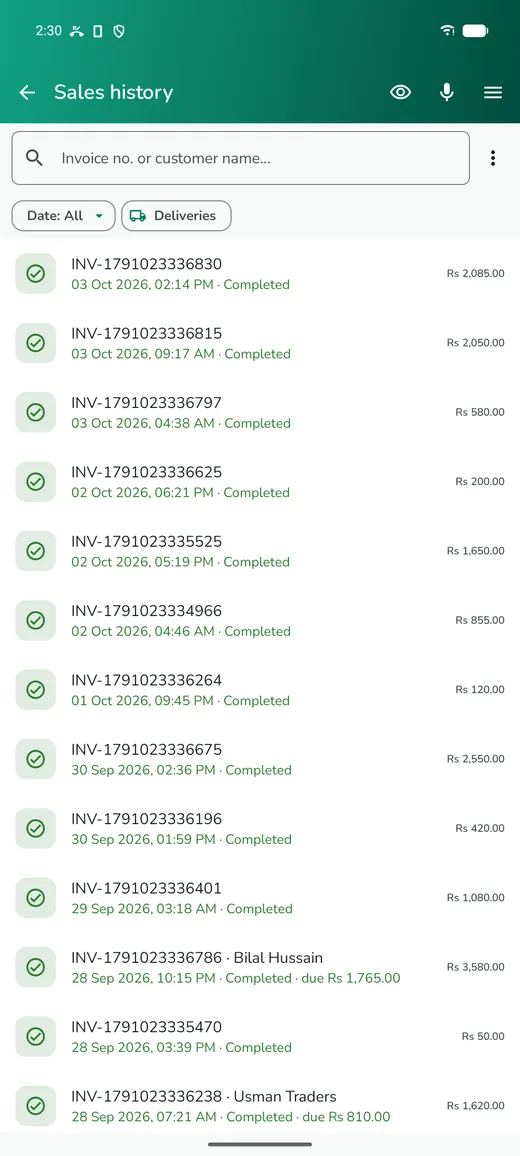
Sales lists every completed bill, newest first, searchable by invoice number or customer name. The filters along the top jump to today, the last seven days, the last thirty, or deliveries only.
Open any sale to see its lines, reprint or re-share the receipt, or handle a return. Returns matter: putting the item back through the app is what keeps your stock honest, even when the money cancels out. A sale that was on credit shows what is still owed and when it is due.
Expenses
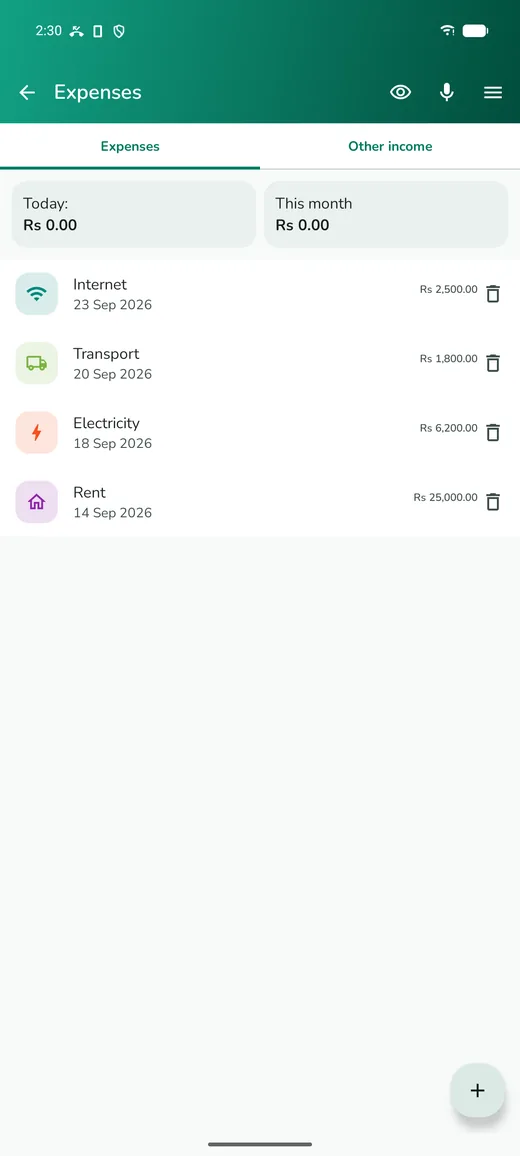
Expenses is the side of the ledger most small shops skip, and it is the reason profit figures are often wrong. Rent, electricity, transport, staff pay, repairs, tea for the counter — record them as they happen, with a category, and they flow straight into your net profit.
Two things help:
- Use a small number of categories and stick to them. Six you actually use beat twenty you guess between.
- Record it the day it happens. An expense remembered at the end of the month is usually an expense forgotten.
If you take money out of the drawer for something personal, that is not an expense, it is a drawing. Keeping the two apart is what makes the cash count meaningful.
Reports
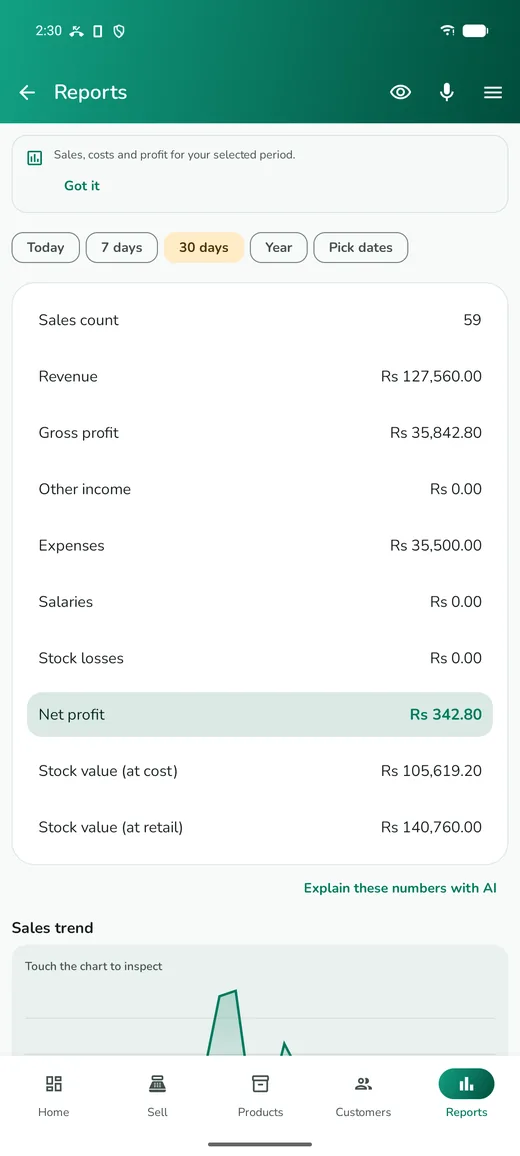
Reports puts it together for whatever period you choose. The figures in order:
| Line | What it means |
|---|---|
| Sales count | how many completed bills |
| Revenue | what customers paid you, less refunds |
| Gross profit | revenue minus what those goods cost you |
| Other income | money in that was not a sale |
| Expenses | what the shop spent |
| Net profit | what you actually kept |
| Stock value | what is sitting on your shelves, at cost |
The gap between gross and net is your running cost, and watching it month to month tells you more than any single figure. Revenue rising while net profit is flat means your costs are rising just as fast.
Explain these numbers with AI turns the same figures into a few plain sentences, including what changed and one thing to look at. It reads only the numbers on that screen, costs one credit, and you can share the result.
Shift handover
If more than one person works the counter, Shift records the opening float, any cash in or out that was not a sale, and the closing count against what the app says should be there. A few rupees out is life. A consistent shortfall is a problem worth finding while people still remember the day.
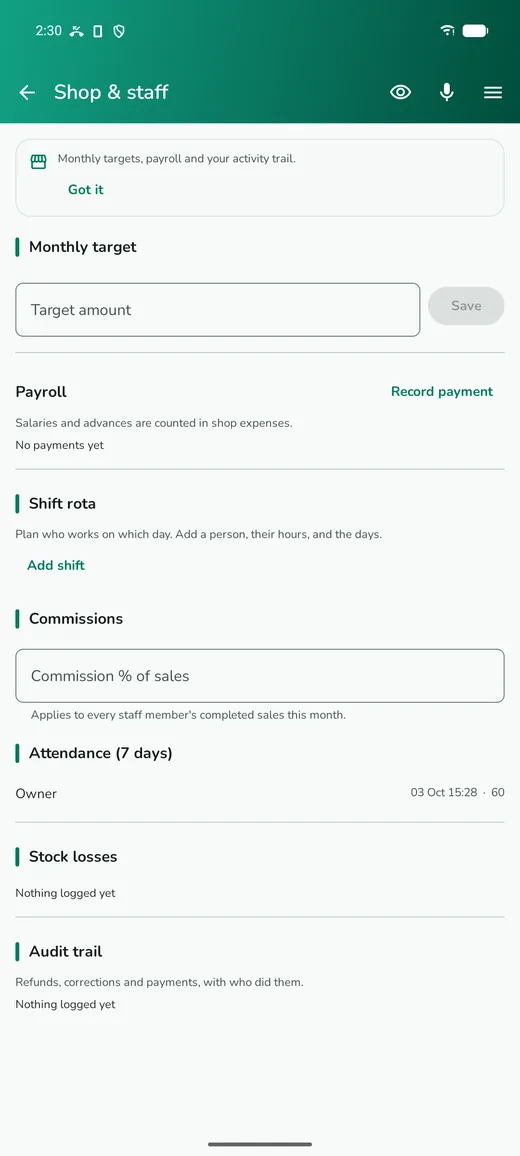
Shop operations adds the management layer on top: takings per staff member, attendance, a monthly target, commissions, and an audit trail of who changed what.
Questions
Why is my profit lower than I expected?
Usually one of three things: purchase prices that are out of date, so the app thinks your goods cost less than they do; discounts given verbally and never recorded; or expenses recorded in one month for stock sold in another.
What is the difference between stock at cost and at retail?
Cost is the money you have actually spent on what is on your shelves. Retail is what it would bring in if every item sold at full price, which never happens. Use cost when you are thinking about cash.
Can I export my figures?
Yes. Reports can be shared as a PDF, and a full backup contains everything if you want to move it elsewhere.
Do reports include unpaid credit sales?
Revenue counts the sale when it happens, so a credit sale appears in revenue and its unpaid part appears in your udhaar total. That is why a profitable month can still leave you short of cash.
Get Saleva
Free on Android. Selling, stock, customers and reports all work with no internet at all.